Portal Time Off
Request
Empower employees to submit, track, and manage their leave requests directly from the Odoo portal — no backend access required.
AVAILABLE VERSIONS

COMPATIBILITY
Works With Both Editions
Odoo Community
Full functionality with open-source Odoo
SUPPORTEDOdoo Enterprise
Seamless integration with Enterprise features
SUPPORTEDWorks perfectly on — Both Community and Enterprise Editions
OVERVIEW
What This Module Does
The Portal Time Off Request module empowers your employees to
submit, track, and manage their leave requests directly from the Odoo portal.
Employees can create Vacation, Sick Leave, Paid Time Off, or any custom leave type
through a clean, self-service interface — no backend access required.
The module displays real-time leave balances with remaining days for each leave type,
validates allocations before submission, and calculates days automatically from the date range.
HR managers maintain full control with a per-employee toggle to enable or disable portal access,
while the standard Odoo approval workflow handles review, approve, or refuse actions.
Beautiful, modern UI with gradient designs, status badges, and responsive layout
that works perfectly on all screen sizes.
FEATURES
Key Features
Self-Service Portal
Employees can submit, view, edit, and delete their time-off requests directly from the portal dashboard without backend access.
Real-Time Leave Balance
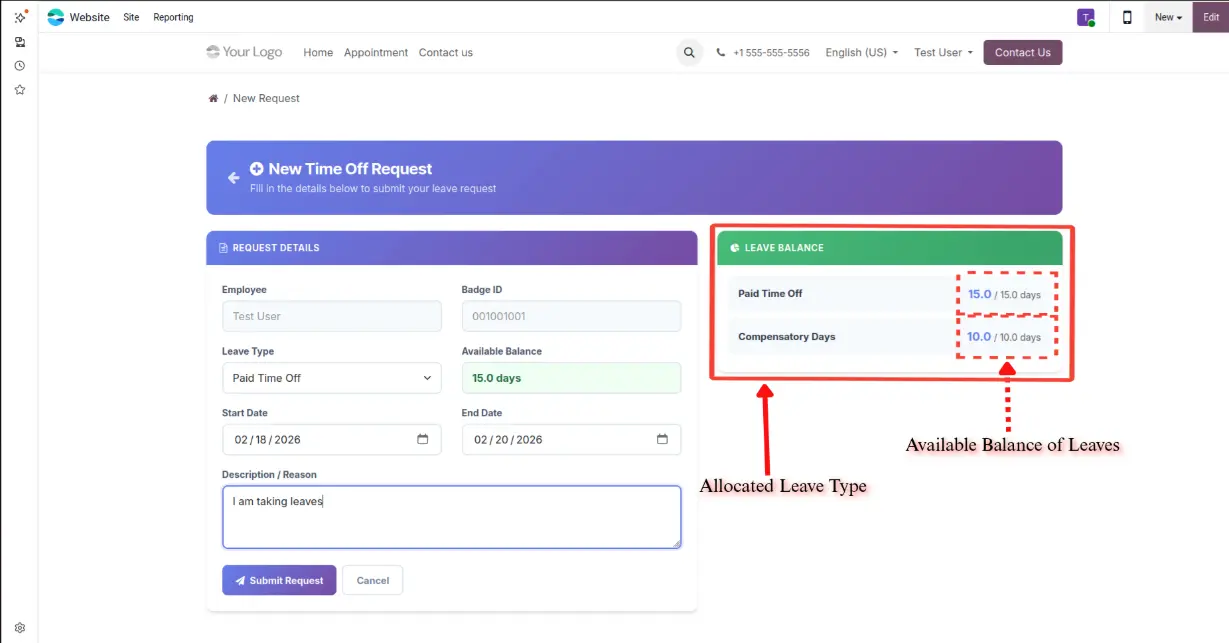
Display remaining days for each leave type with allocation tracking. Unlimited leave types are clearly marked. Balance updates instantly.
Smart Validation
Date range validation ensures end date is after start date. Allocation check prevents over-requesting. Automatic day count calculation.
Per-Employee Access Control
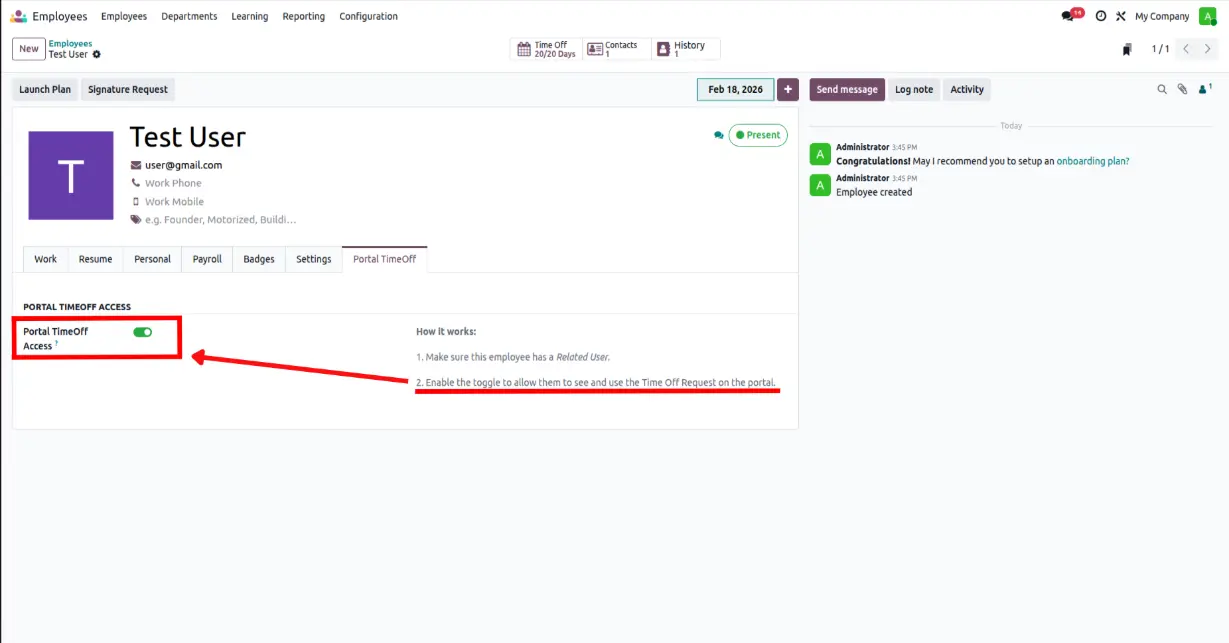
HR can enable or disable portal time-off access for each employee individually via a simple toggle on the employee form.
Approval Workflow
Requests go to "To Approve" status. HR can approve or refuse from the standard Time Off module. Employees see updated status instantly.
Professional UI
Modern gradient designs, status badges, leave balance cards, pagination, and success confirmation page. Fully responsive.
WALKTHROUGH
How It Works
A step-by-step guide to portal time-off management
Go to Employees > Employee Form > Portal TimeOff tab and enable the toggle
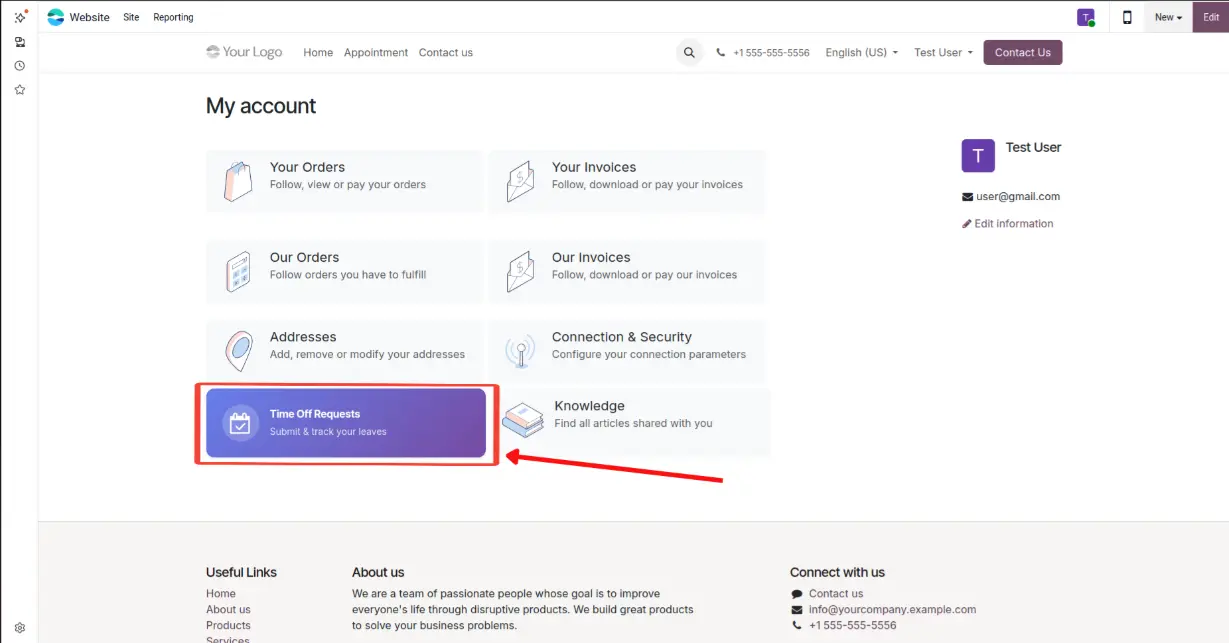
The "Time Off Requests" card appears on the employee's portal home page
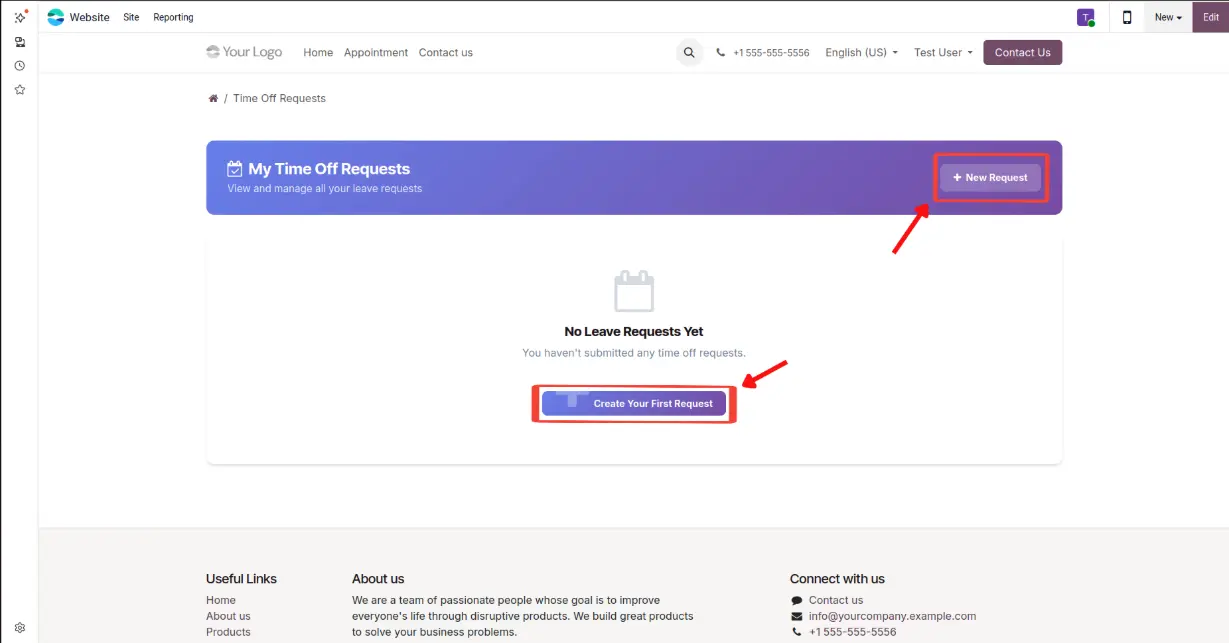
View all your leave requests or create your first one with the New Request button
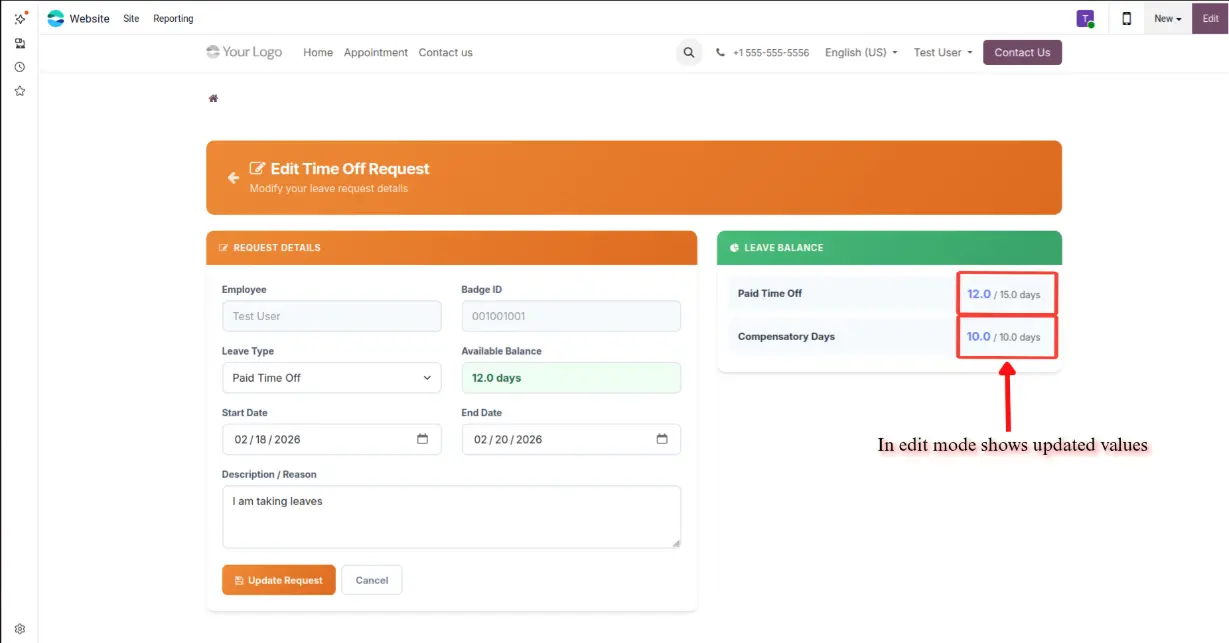
Fill in leave type, dates, and description — with real-time leave balance sidebar showing allocated days
Submitted requests show "To Approve" status with Edit and Delete actions available
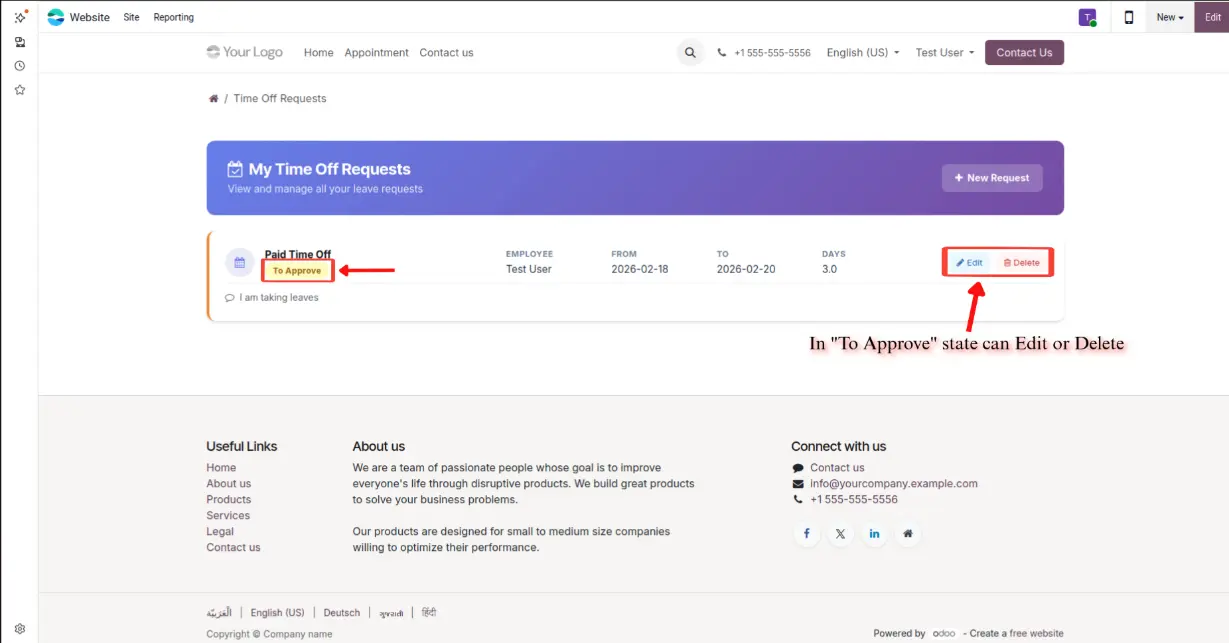
Modify leave details before approval — balance sidebar shows updated remaining days in real time
USE CASES
Perfect For
HR Managers
Streamline leave approvals and reduce manual data entry
Business Owners
Give employees self-service access without backend licenses
Employees
Submit and track leave requests anytime from the portal
Remote Teams
Manage time-off from anywhere without Odoo backend access
BENEFITS
Why Choose This Module?
Works out of the box
Instant allocation tracking
Responsive design
HR toggle access
Uses Odoo approval flow
Modern gradient designs
6 languages included
LOCALIZATION
Multi-Language Support
Available in 6 languages — Portal interface fully translated

English
EN
French
FR
Spanish
ES
German
DE
Chinese
ZH

Arabic
ARRTL Support for Arabic language included
GET STARTED
Ready to Simplify Leave Management?
Get the Portal Time Off Request module and let your employees manage their own leave requests.